More than “how'd it go?”
Follow your player live, or track any match courtside as a parent, coach, or umpire, and get the data behind the score so the next match and the next practice start better prepared.
Courtside, from anywhere
When your player's match goes LIVE, you follow it point by point as it happens: the score, who's serving, how each point ended. In the app if you're connected to your player, from a shared web page if you're not, or on Apple TV with the whole family on the couch. You don't have to be there to be there.
Connected to your player? The live match is right there, point by point.
Any match can be shared as a public web page. Grandparents and teammates follow along, no account needed.
Enter the code from the TV in your phone and everything you can see in the app, live or completed, is on the big screen. Free, like all viewing.


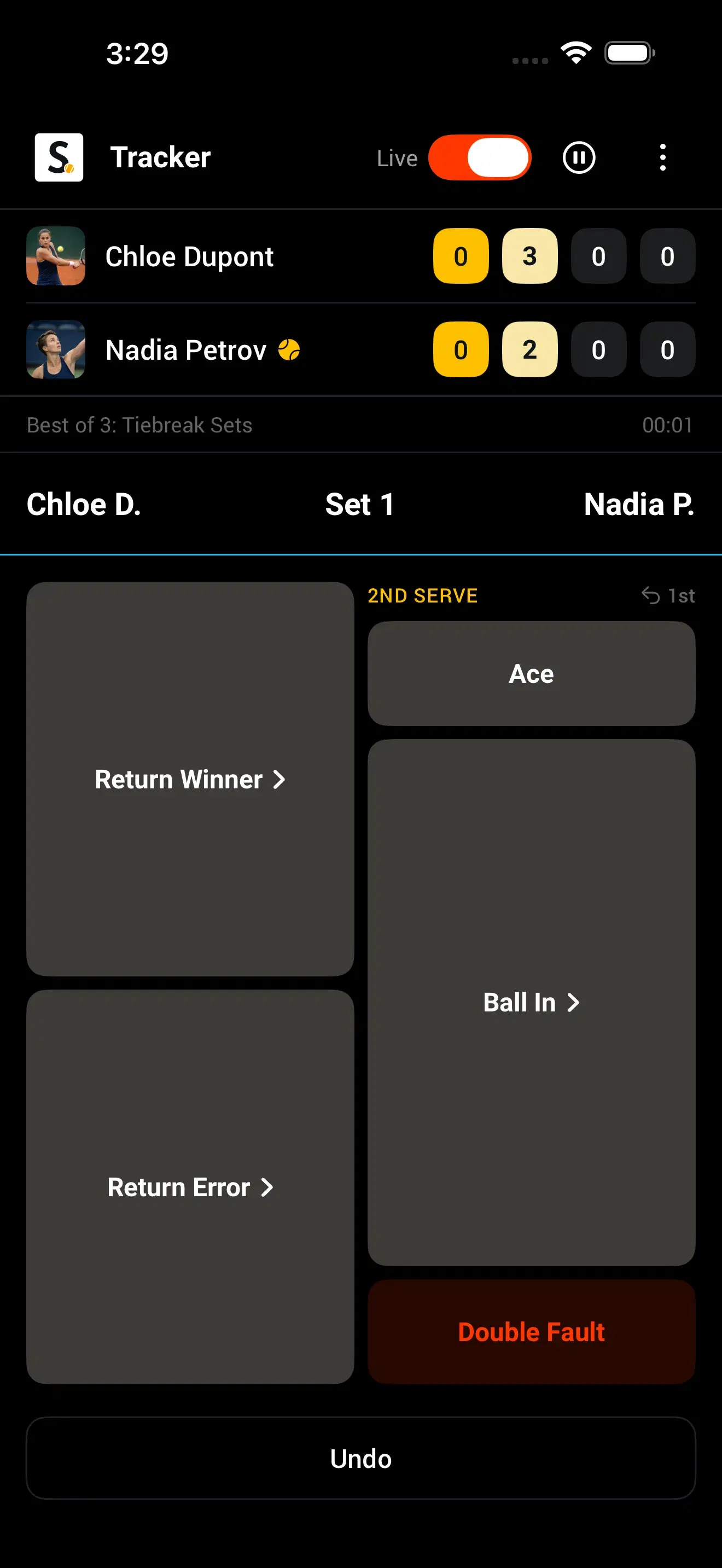
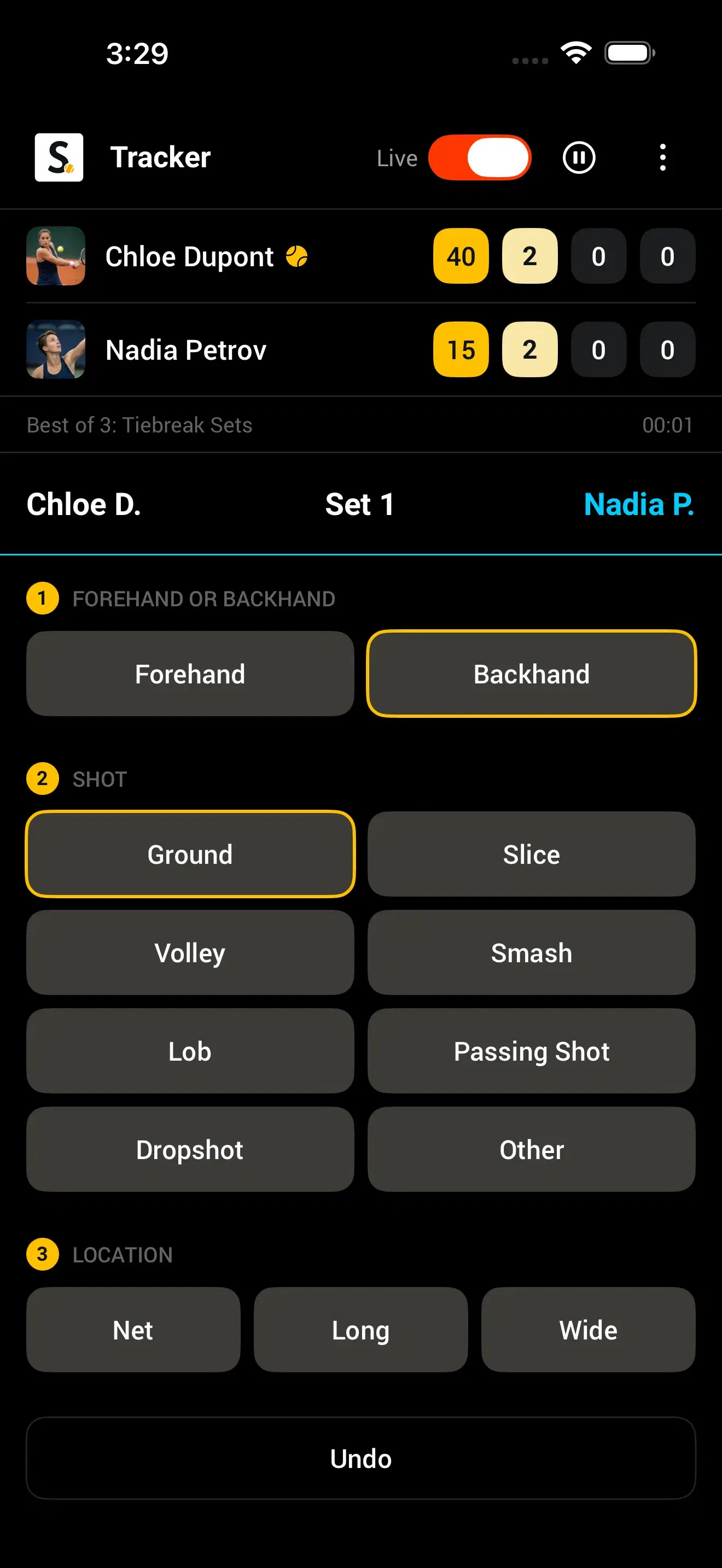
Five tracking styles. Any format.
Track as little or as much as the moment allows. Every style produces a complete, shareable result; the more you track, the more the Match Profile can tell you.
Enter games and sets as they finish. Fastest way to a shareable result.
Tap who won each point. Live score, momentum, and pressure points, no shot detail.
Add first or second serve, aces, and double faults to every point.
Tag how each point ended: winner, forced error, unforced error, and which wing.
Everything above plus serve and shot placement. The complete Match Profile.
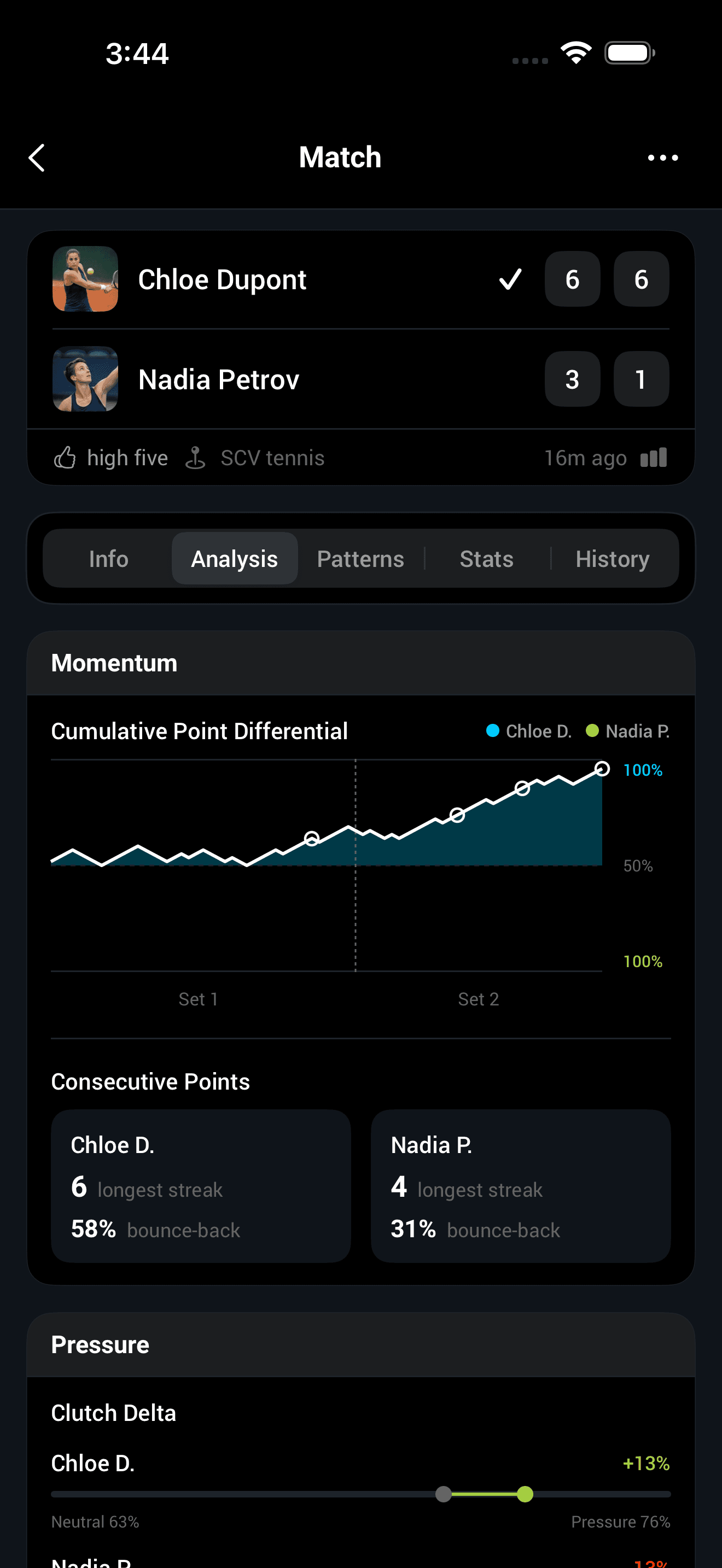
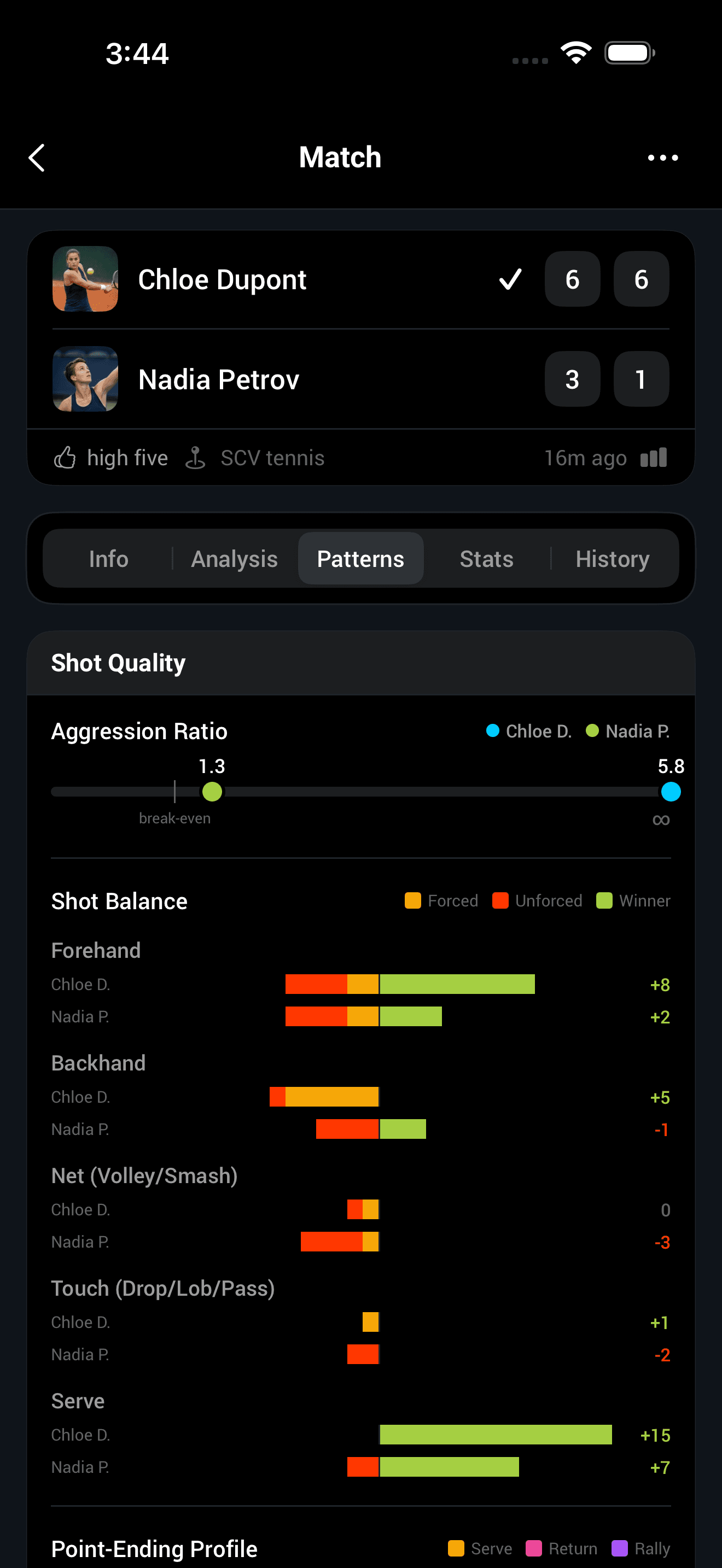
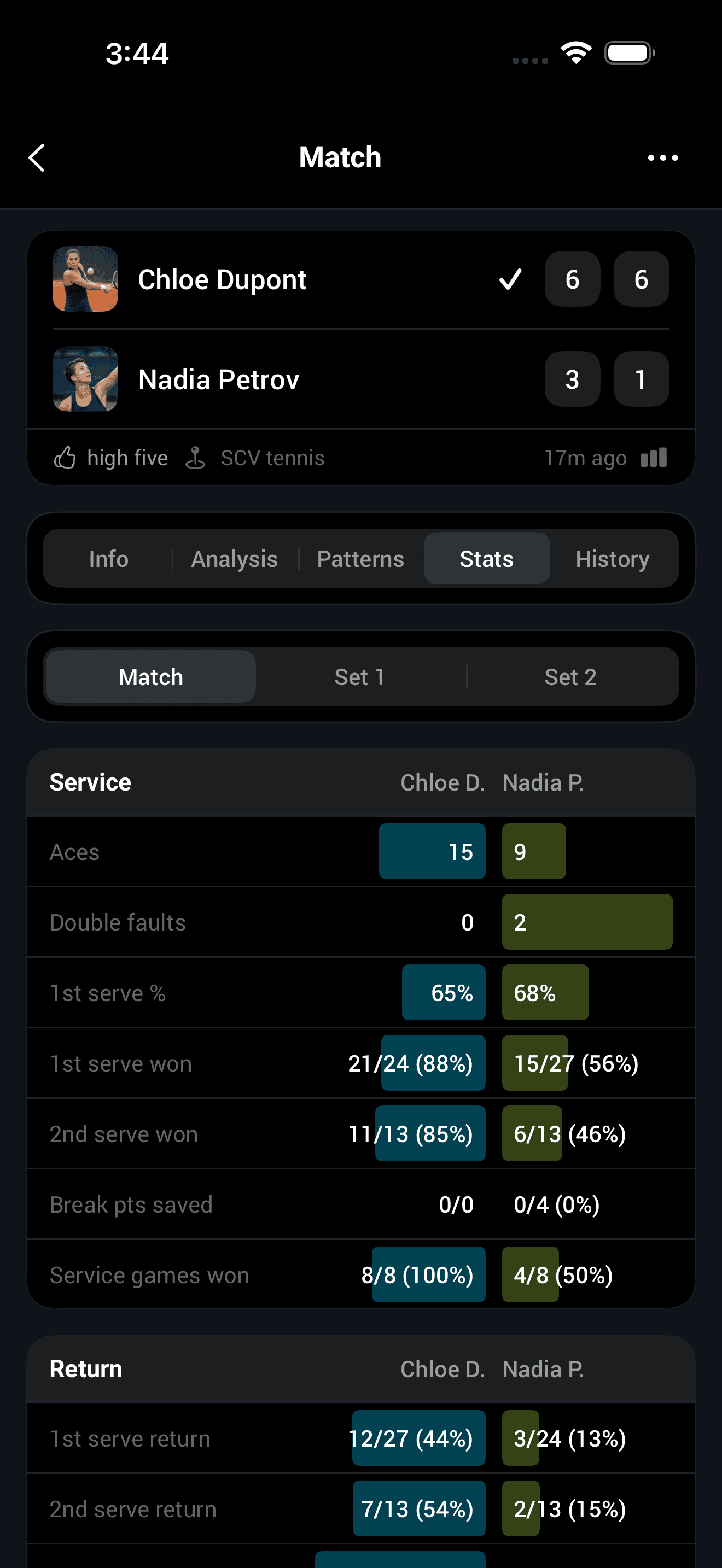
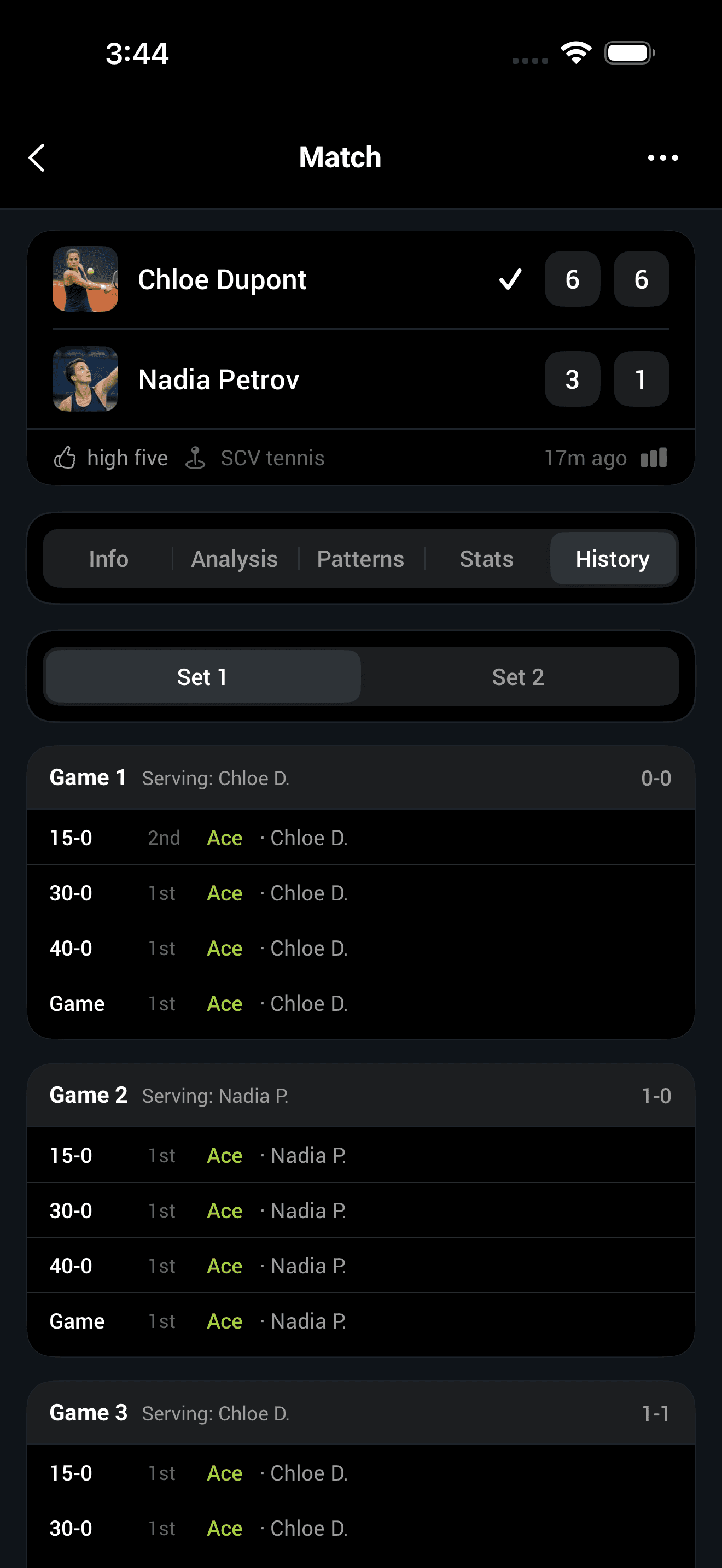
The story behind the score
When the match ends, the result comes with the Match Profile: how aggressive your player was, which wing held up and which gave points away, how points ended, and how they handled the pressure moments. That's what to work on before the next match, not just who won.
Was the game plan working? Which side held up?
How they played on break points and set points versus the rest of the match.
Every past meeting with this opponent, and how each one went.
Notes, coach, progress, privacy
Add notes on your player right in Smashpoint: a stroke to work on, how they handled pressure. Private to you, never shared. Then you walk into the next match already prepared.
Connect to your player's coach to share match results and data both ways, so the next practice gets built around what actually happened, not guesswork.
Dynamic ELO and match history show real development across a season, not just one result on one day.
Nothing is visible to anyone unless you choose it: you connect to your player, you connect to a coach, and a match is only public if it's deliberately shared.
Parents & Trackers FAQ
How do I follow my child's match live?
Switch the match to LIVE and it streams point by point in real time. If you're connected to your player in Smashpoint, you follow it inside the app. Any match can also be shared as a public web page, so grandparents, teammates, or anyone with the link can follow without an account. At home, Smashpoint on Apple TV puts the live match on the big screen: enter the code the TV shows into your phone once, and everything you can see in the app is on the TV, live and completed matches alike. It's viewing, so it's free.
Do I need an account to follow my child's match?
Not if the match is shared as a public web page or the event has a Public Event Hub; a link is enough. To follow inside the app, connect to your player, see their stats over time, and keep notes, create a free account.
Is Smashpoint free for parents?
Following is free: your player's stats, rankings, head-to-heads, and match profiles, plus watching matches live. Tracking a match yourself, courtside or otherwise, takes Pro, unless it's covered by membership in a club or program that runs on Smashpoint, or by Apple Family Sharing. If you only follow, you never need it.
What do I see that a scoreboard doesn't show?
The Match Profile: how aggressive your player was, which wing held up, how points ended, and how they handled pressure points. It's what to work on before the next match, not just who won.
How does the coach fit in?
You connect to your player's coach in Smashpoint to share match results and data both ways, so the coach's point-by-point results and stats reach you and the next practice is built around what actually happened. Your own notes stay yours; notes are never shared.
Can I track a match that isn't my own, like one I'm umpiring?
Yes. Track any match courtside between any two players, add them if they're not on Smashpoint yet, and switch it to LIVE so everyone following gets the score in real time. The result and stats go to both players' records. Tracking takes Pro, unless it's covered by membership in a club or program that runs on Smashpoint, or by Apple Family Sharing.
How much do I have to track?
As little as the score. Five tracking styles run from Games (enter games as they finish) through Points, Serve & Points, and Point Outcomes up to Full shot tracking with serve and shot placement. Any style gives a complete result; the more you track, the fuller the Match Profile.
Does my child need an Apple Watch or Pro?
Logging their own matches takes Pro; the Apple Watch is the easiest way to score but the phone works fine. If they play in a club or program that runs on Smashpoint, Pro is included with membership.
Who can see my child's data?
Nobody, by default. Smashpoint is private unless you choose otherwise: you connect to your player, you connect to a coach to share results and data, and a match is only public if it's deliberately shared as a public web page. Outside those choices, nothing is visible to anyone.